A widget on your own website
Set the price, duration and staff for each service and choose which treatments can be booked online. Clients select a treatment, team member and available time.
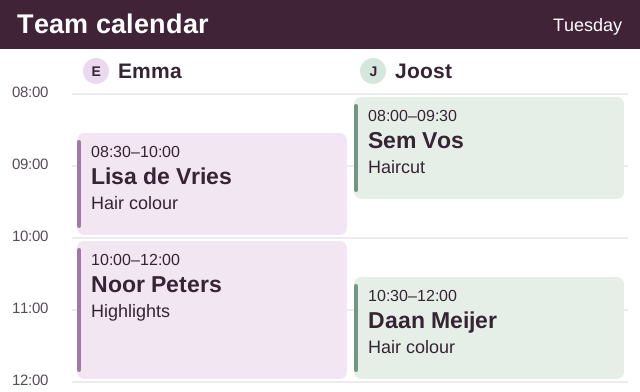
Plan your team’s day, get to know returning clients and see which payments are due. Book the next visit from the same calendar.
View one or several team members side by side. See who is working with a client, when colour is developing and which visits have been paid for.
Book a single visit or a series from the calendar or client profile. For example, every four weeks on Tuesday at 10 am with the same stylist. You can edit a visit or series later.
Select a client’s name in the calendar to see their upcoming visits. Update their details and keep preferences and treatment notes together.
Import and export clients in CSV or Excel. You can also add a new client at reception.
The widget and reception share the same availability. Only one booking can claim a time slot.
Set the price, duration and staff for each service and choose which treatments can be booked online. Clients select a treatment, team member and available time.
Choose payment at the salon, a deposit or full prepayment for each service. Send a payment link for a reception booking. Online transaction fees may apply.
Select your email language and templates. Enable reminders 72 or 24 hours before a visit, and a payment reminder 48 hours before an unpaid appointment if you have the client’s email.
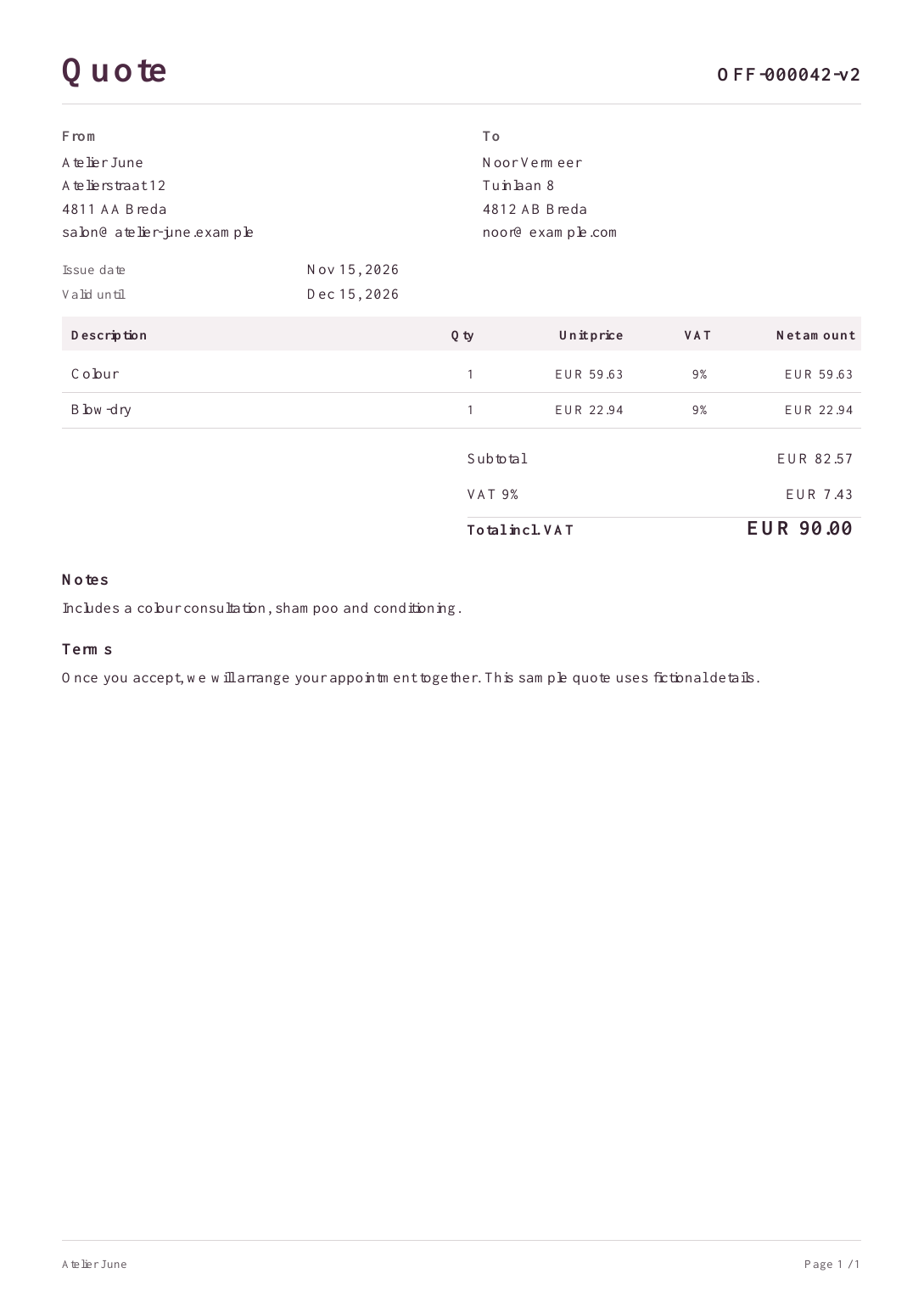
Keep the treatment and the approved price together, even when the original quote needs a revision.
Email a PDF with your salon’s business details. The client can accept or decline online. Each revision has its own version.
Use the client and treatments from the approved quote to book a single appointment or a recurring series.
Approval generates a PDF invoice. Filter invoices, export a selection as a ZIP or issue a credit note linked to the original invoice.
Start and Max include staff permissions and a loyalty programme. Widget bookings, manual appointments and recurring visits are included.
Invite staff and choose who can see calendars, clients or services. Start includes three active team members with their own calendars.
Set an expiry period and offer treatments, discounts or products as rewards. See each client’s balance and your salon’s top ten.
 Studio Rune
We design your site around your salon’s brand on your own domain. Hosting and the booking widget are included. Your services, prices and availability come from your salon account. Max is available on request.
Request Max